AVIATION / FLIGHT TRAINING

Compass turns,
made clearer.

Learn magnetic compass turning errors with practical calculations, turn summaries and interactive simulation. Built for student pilots and instructors.

Google Play · Released

The Google Play listing is currently accessible to everyone. iOS release is planned.

INSIDE THE APP

Learn it in six simple steps.

A guided look at each part of Compass Turns, using genuine promotional screenshots and clear explanations for everyday practice.

01 / 06Getting started

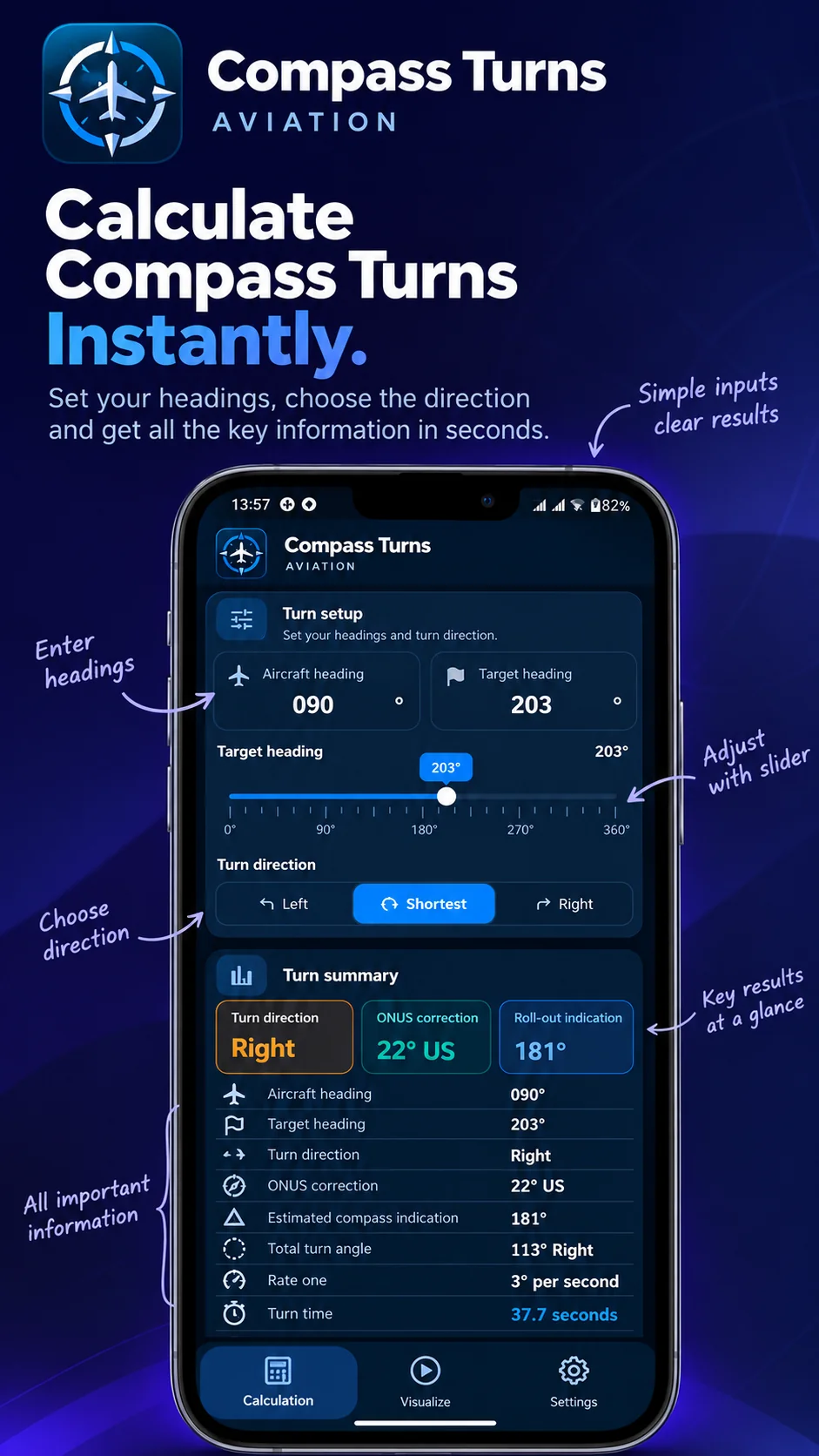
Enter your headings

Set the aircraft heading and target heading, then choose Left, Right, or Shortest. The app prepares the correction and displays your turn information.

  • Enter headings directly
  • Adjust the target with the heading slider
  • Choose the intended turn direction
Next feature
FEATURE 01 Enter your headings — Compass Turns app showcase
02 / 06In the app

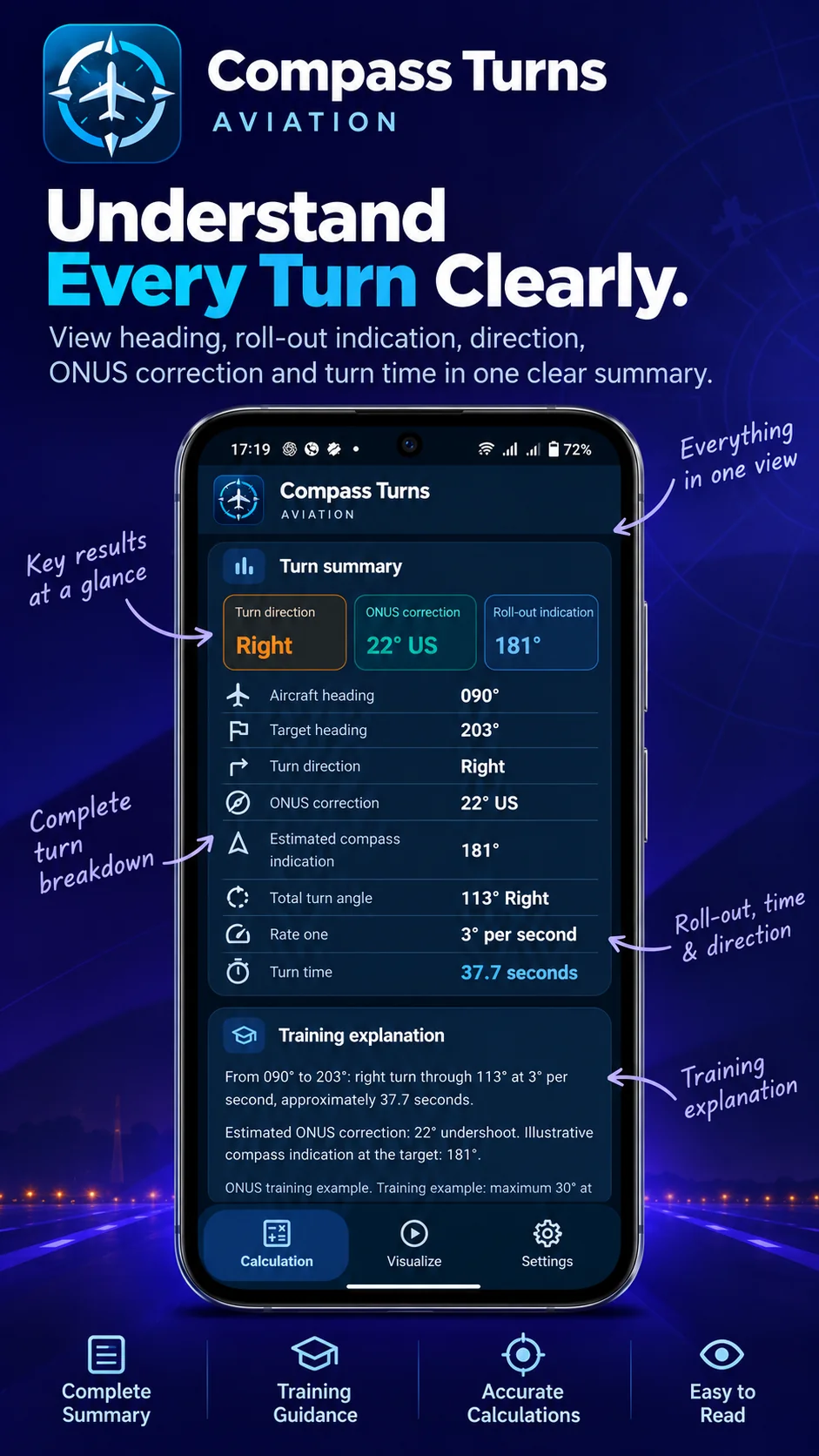
Read your complete turn summary

Review the computed turn direction, ONUS correction, rollout indication, heading change and rate-one timing together. The training explanation below helps you connect the numbers to the technique.

  • Confirm the turn direction and angle
  • Review the rollout compass indication
  • Use the explanation for revision
Next feature
FEATURE 02 Read your complete turn summary — Compass Turns app showcase
03 / 06In the app

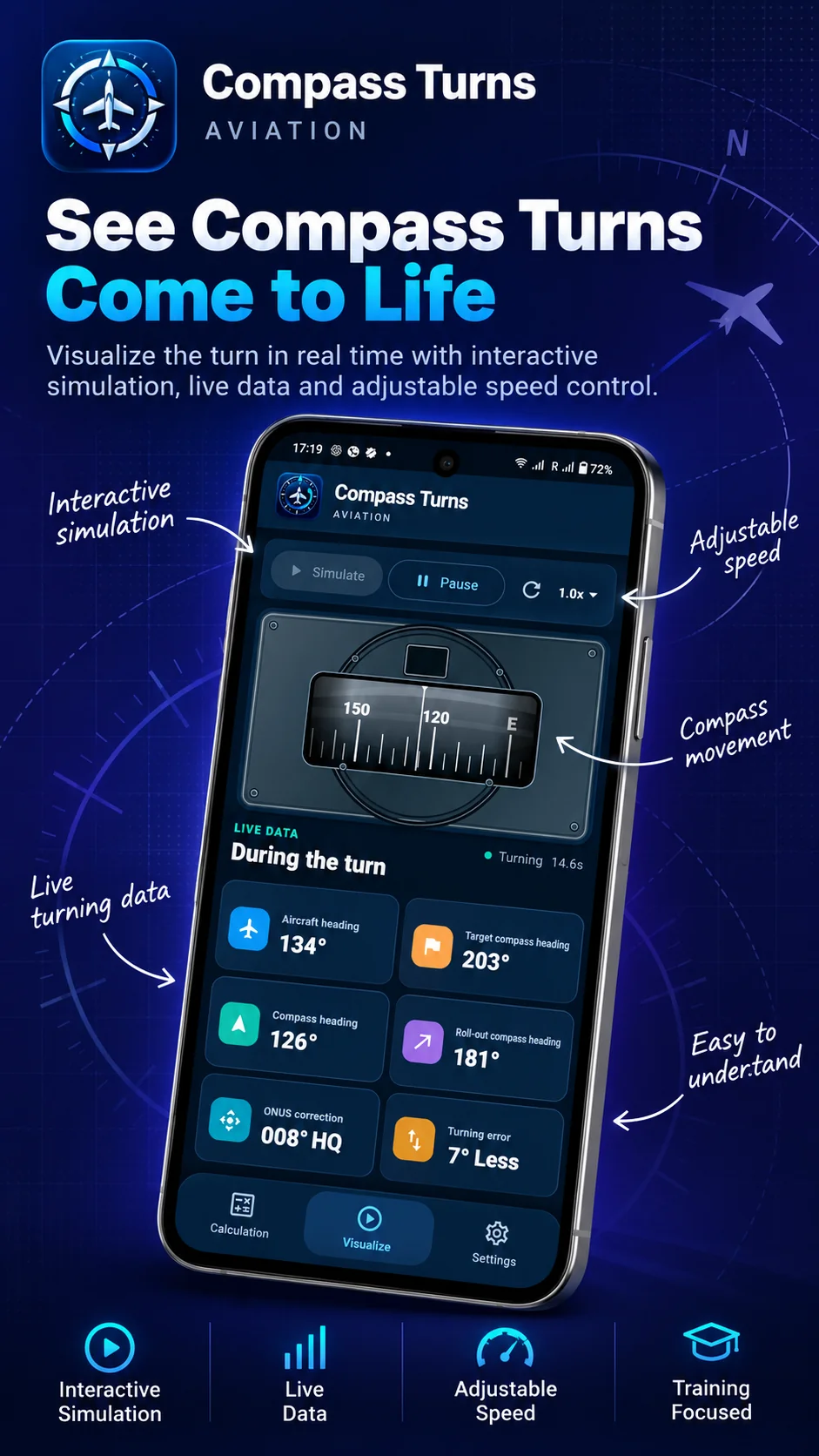
See the compass move

Open Visualize to observe an animated compass during a simulated turn. Start, pause and reset the movement while following the live heading and error information.

  • Observe changing compass indications
  • Pause or restart a demonstration
  • Interpret live training values
Next feature
FEATURE 03 See the compass move — Compass Turns app showcase
04 / 06In the app

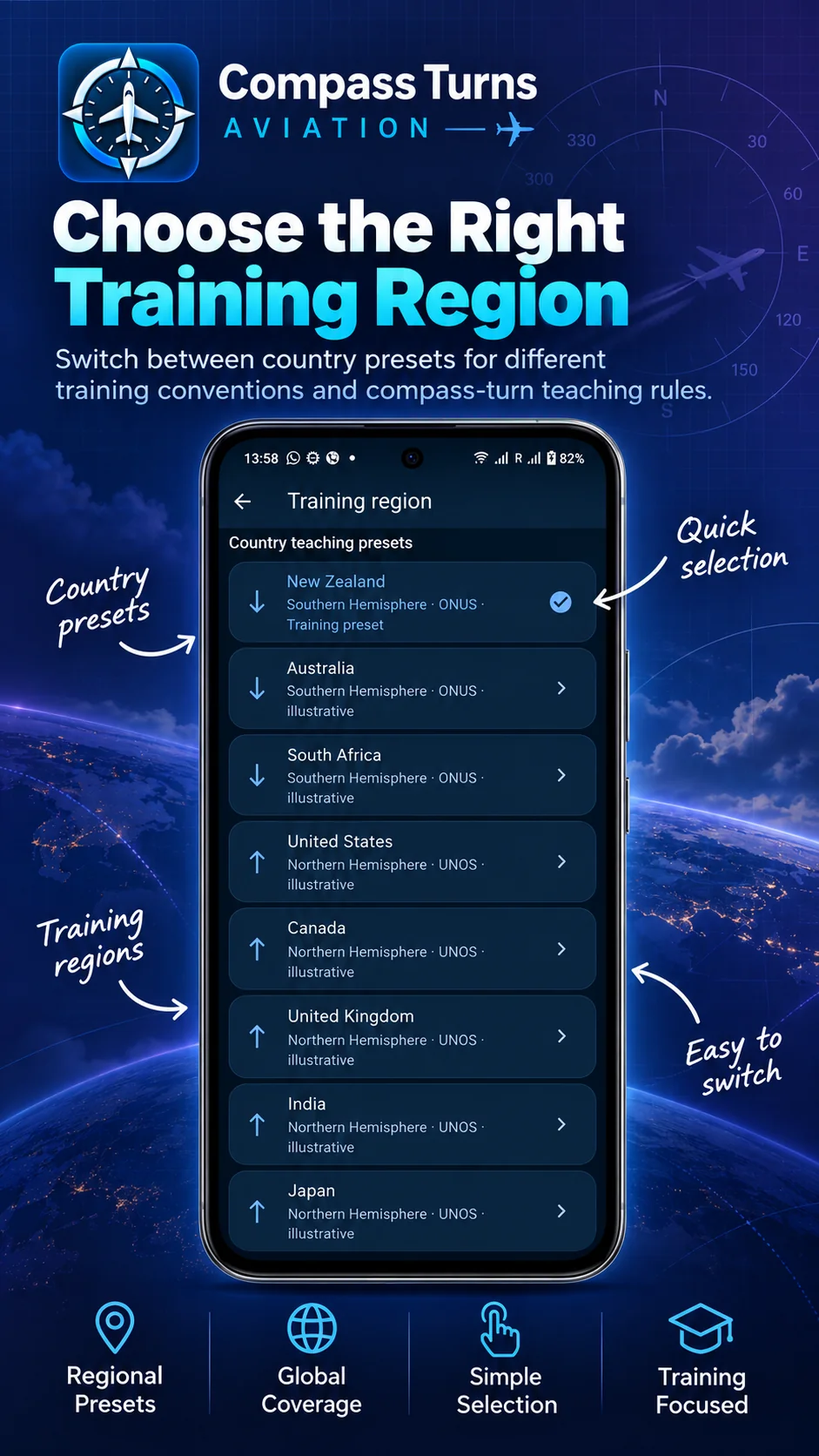
Choose your training region

Select the hemisphere and training preset that matches your learning environment. Presets help you practise with region-appropriate illustrative correction rules.

  • Open Settings → Training region
  • Select New Zealand or another supported preset
  • Return to Calculation to practise
Next feature
FEATURE 04 Choose your training region — Compass Turns app showcase
05 / 06In the app

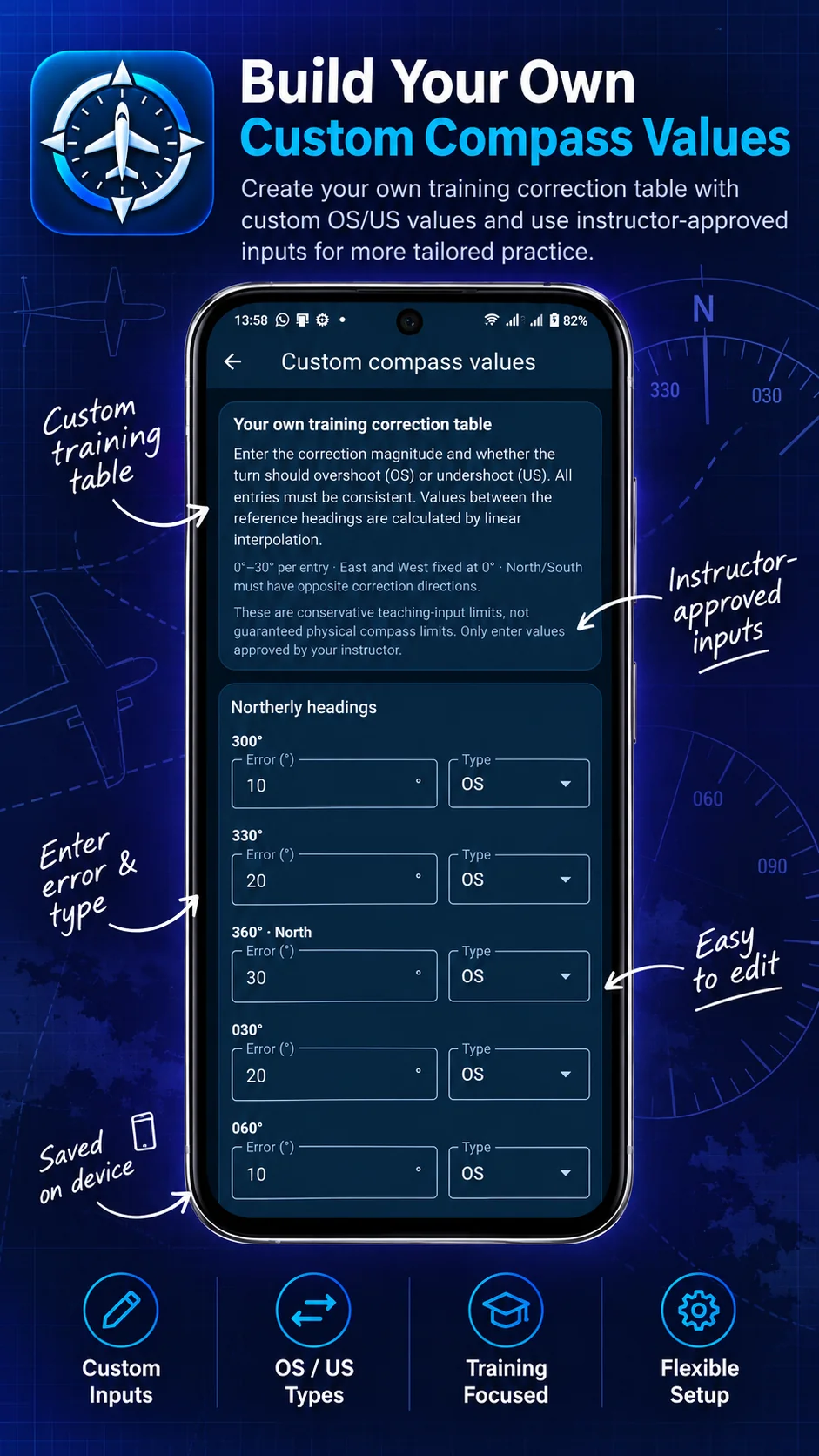
Build a custom correction table

For instructor-led exercises, enter correction magnitudes and overshoot or undershoot types by heading. The app interpolates between reference headings and saves your chosen table on the device.

  • Use only instructor-approved values
  • Set OS or US for each reference heading
  • Save values for later practice
Next feature
FEATURE 05 Build a custom correction table — Compass Turns app showcase
06 / 06In the app

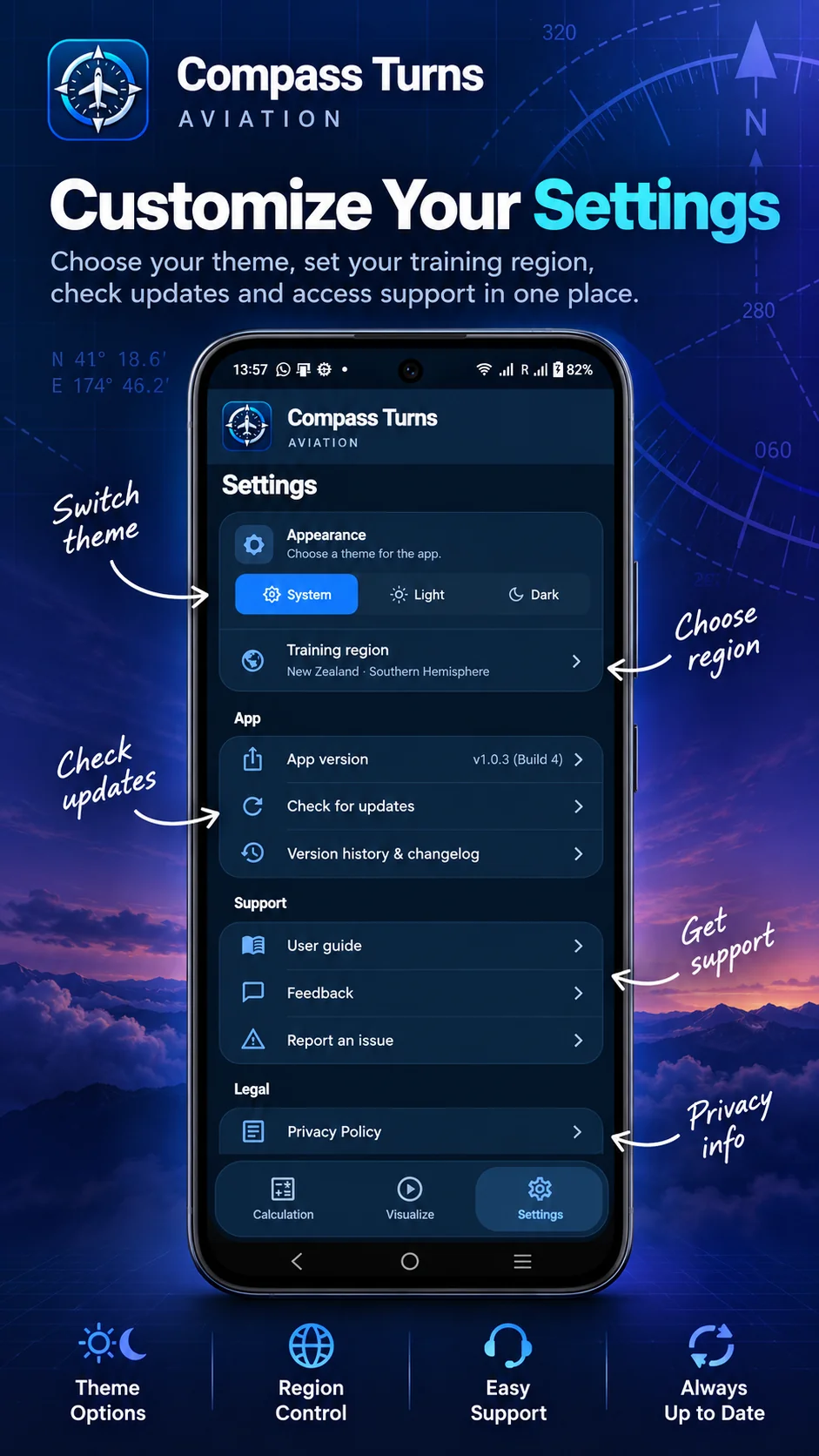
Make the app your own

Switch between System, Light and Dark appearances, change training regions, view your version, check updates, or access support and privacy information.

  • Choose your appearance
  • Find app updates and release history
  • Access feedback and user guidance
Get the app
FEATURE 06 Make the app your own — Compass Turns app showcase

Ready to practise?

Compass Turns is currently available through Google Play closed testing. Apple App Store release is planned.

View on Google Play ↗